 KNX PANEL COLLECTION
A temperature number on a KNX wall panel can look reassuring. But does the panel only measure the room, display a reading, let someone set a target, or actually contain the temperature-control logic? Those are different functions, and the answer depends on the exact device and system design.
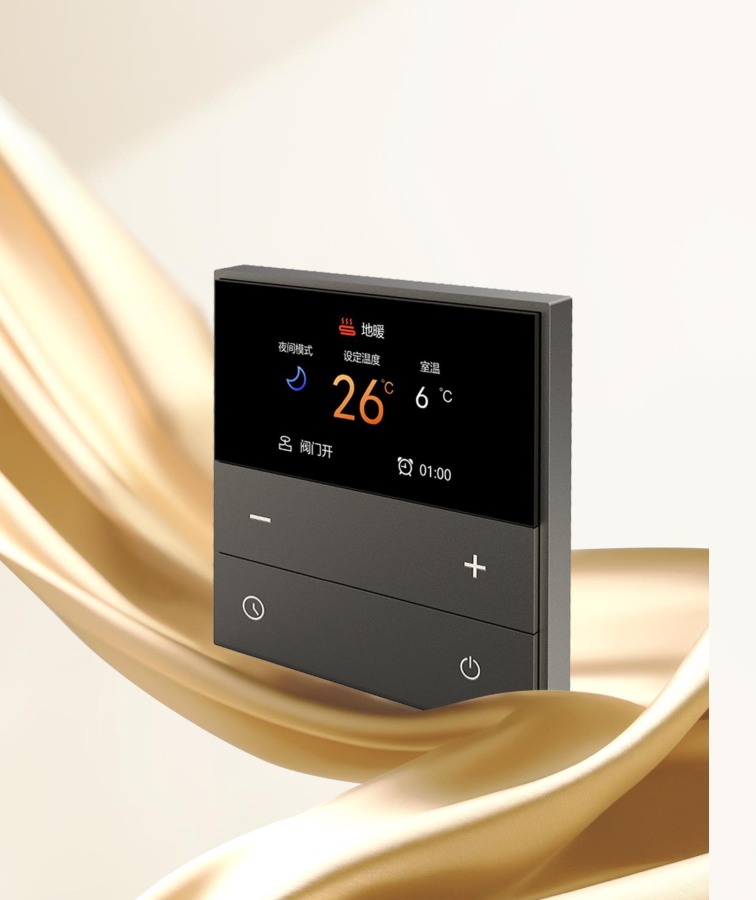
The image illustrates a temperature-panel design; the functions described below are not claims about the pictured model.
Four roles to compare
- Temperature sensor: measures temperature and may report a value to the KNX system.
- Display: shows a measured temperature, target or operating status. A display does not by itself establish that the panel regulates temperature.
- Setpoint input: lets an occupant request a target temperature, if the selected model and application support it.
- Room controller or thermostat logic: compares the target with the measured value and produces a control request. Depending on the project, that logic can be located in a panel or another device.
The control request still needs a suitable connection to the heating or cooling equipment. A sensor alone does not prove that a panel can regulate an air conditioner, fan coil or heating system.
Why the product description matters
GVS describes its Waltz KNX thermostat-panel series in rotary and button versions. Legrand describes a specific Mallia Senses KNX thermostat with an integrated room temperature controller. These are examples from the respective manufacturers, not a feature list for every KNX panel.
Other architectures are possible. MDT's heating guide describes an arrangement using control logic in an actuator as well as alternatives involving a temperature sensor and user interface. The project's KNX integrator should decide where the logic belongs.
Questions to ask before ordering
- What is the exact manufacturer and order code, and which KNX application data applies?
- Does the device measure temperature, display it, allow setpoint adjustment or provide thermostat logic? Which of these functions does the project need?
- If the controller is elsewhere, where will it be located and how will the setpoint and measured value reach it?
- How will the selected equipment receive control requests? Check the intended HVAC interface, operating modes and installation documents with the integrator.
- Where should the sensor be positioned, and what does the specific manufacturer's installation guide say about conditions that can affect measurement?
- Can the team review the display, controls and intended operation before ordering?
Example: a bedroom with air conditioning
A homeowner might want to see the room temperature and adjust a target from the bedside. Write down those two requirements separately. The integrator can then check the selected panel's application data, identify where control decisions are made and verify the interface to the project's air-conditioning equipment. Do not assume a pictured display proves that this entire chain is available.
Frequently asked questions
Is a temperature display the same as a thermostat?
No. A display presents information; the required temperature-control logic may be in the panel or another device, depending on the project.
Can every KNX panel control an air conditioner?
No. The panel's application, the rest of the KNX system and the equipment interface all matter. Check the exact model and project configuration.
Do I need a separate temperature sensor?
It depends on the selected model, sensor location and project requirements. Ask the integrator to assess the manufacturer's documentation.
Compare the BIGHOUSE panel collection or send your project requirements. Our beginner's guide covers other selection decisions.